Simple Scheduler
The one-page schedule, minus the recopying.
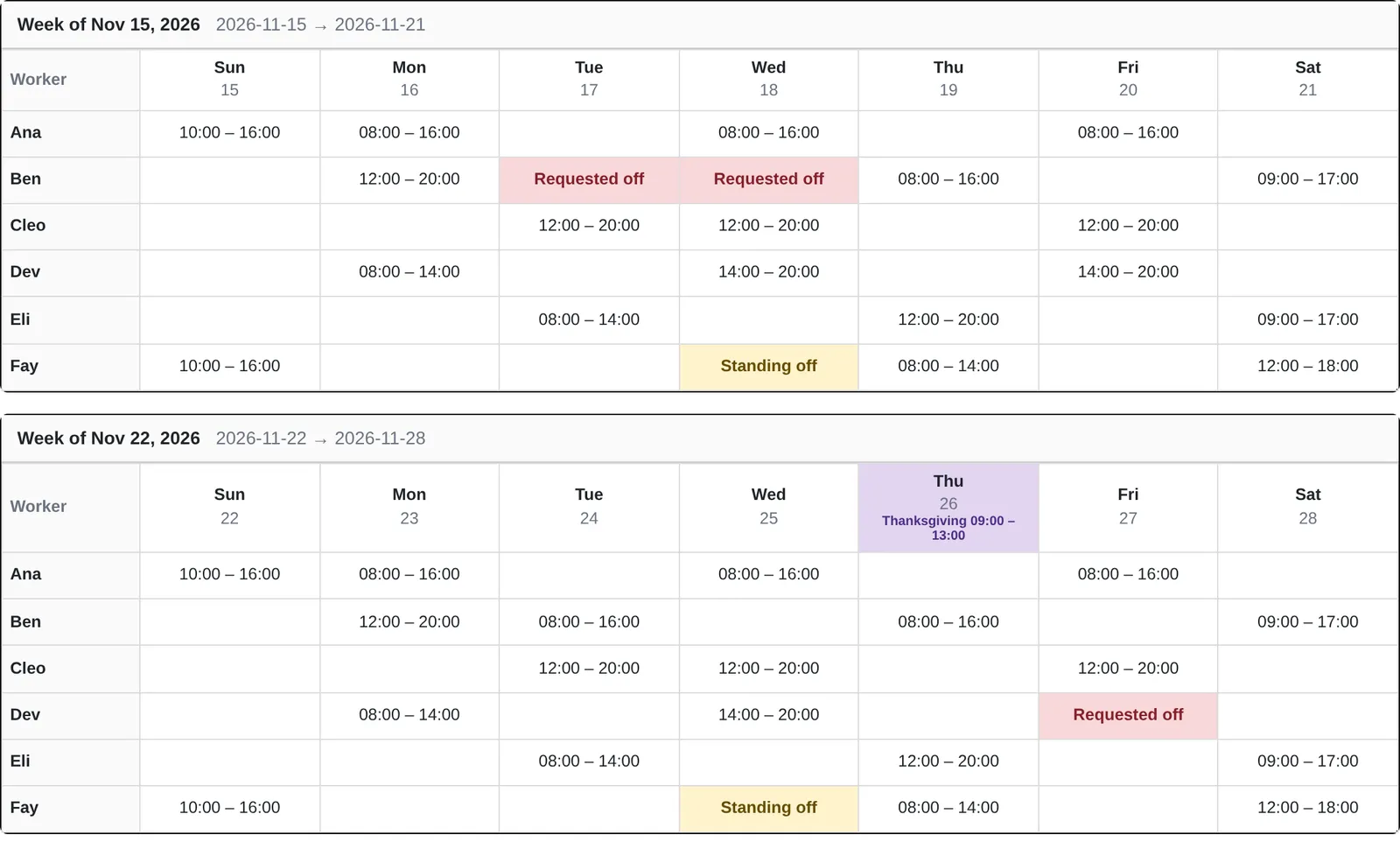
It looks like the spreadsheet you already print. The difference is that it remembers the standard week, so changes for time off don't follow you into future schedules.
Try it here
Mark a day off in week one, then look at week two. Standing days off repeat. One-off changes don't.
Made to print
Still goes on the wall.
Each week is a table that prints together, and pages break between weeks instead of through them. The app's controls stay off the paper.
- Dates in every column heading, with the month on the first
- The same colors on screen and on paper
Coverage
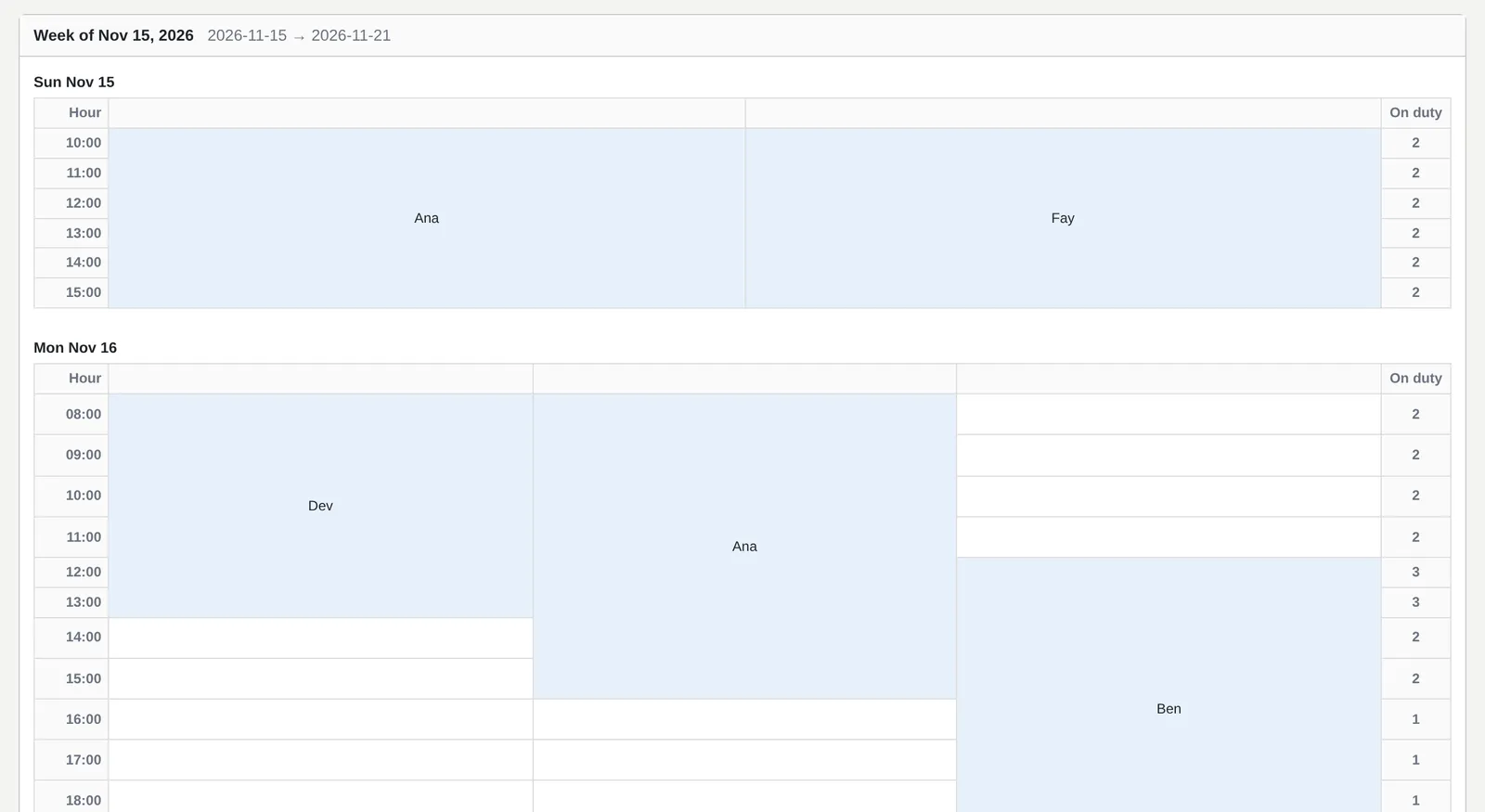
See the thin hours before they happen.
The coverage view lays each day out by the hour, with a count of who is on duty, so a gap shows up as a gap.
What's in it
Rotations
Set each weekday once. Multi-week cycles handle every-other-Saturday patterns.
Edit in place
Click a cell to change one shift, using saved shift presets. Only that cell updates.
Holidays
One-off and recurring holidays, closed or with special hours, shown across the whole day.
Groups and accounts
Each schedule belongs to a group, with its own workers, settings, and sign-in.
Access is by request for now.
Public sign-up is closed for now. Tell us about your team and how you schedule today.