WAT POS
A register your staff can rearrange.
Touchscreen point of sale and back office for independent stores. Build the menu by dragging tiles, then reach any item in a few taps.
Try it here
A working copy of the two screens that matter most, running on an invented catalog. Edit the menu, save it, and ring a sale on your own layout.
Chained menu clicks
Thousands of items, a few taps deep.
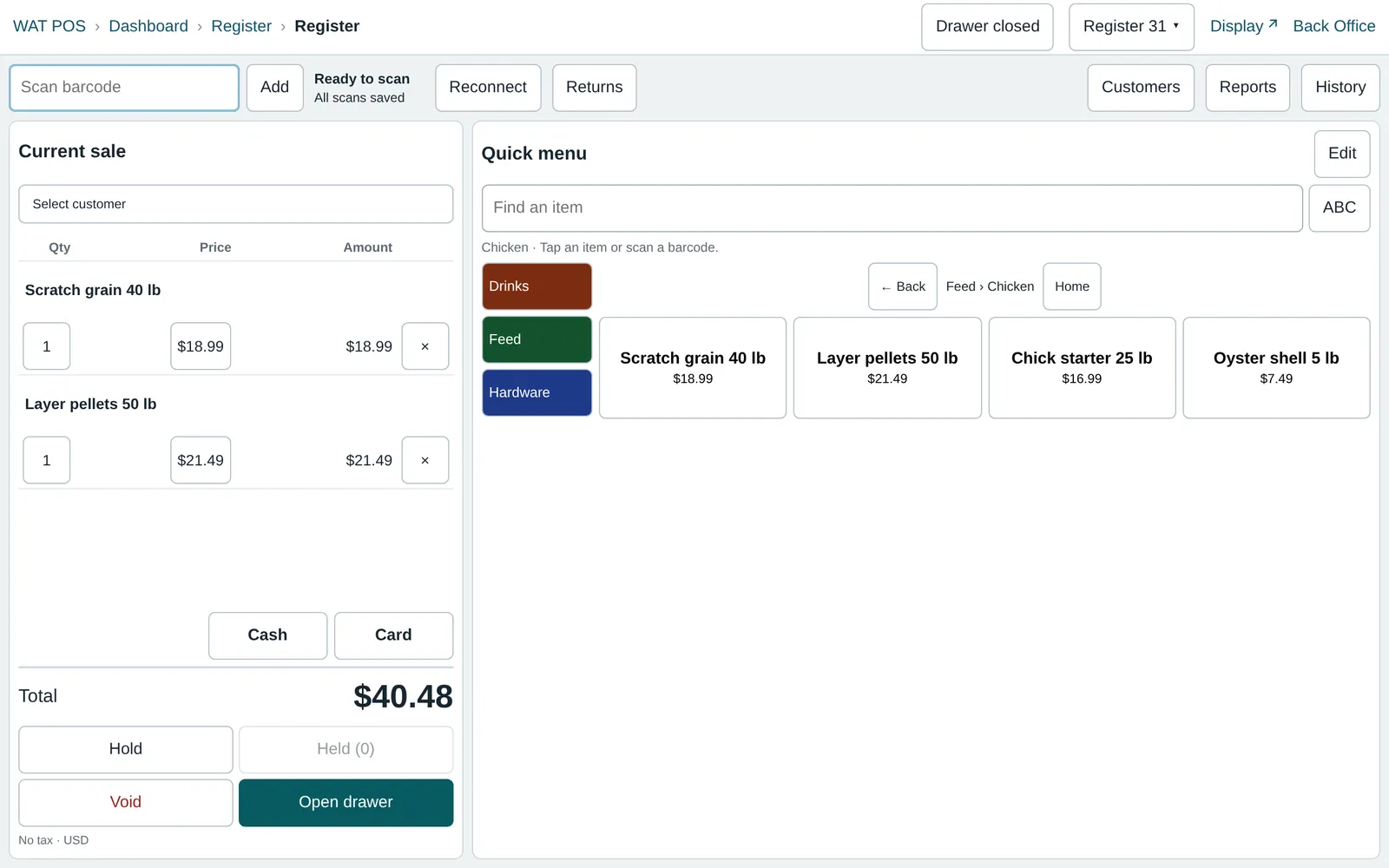
A big catalog doesn't fit on one screen, and it shouldn't have to. Tiles can open other menus, so cashiers follow the same path every time.
- Feed
- Chicken
- Layer pellets
- Back and Home are always on screen, with the path beside them
- A shared barcode can open a choice, such as a single can or a six-pack
- Choices can nest, and Back steps up one level at a time
- The final item sets the price and moves the stock
Drag-and-drop menus
The person who knows the store sets up the screen.
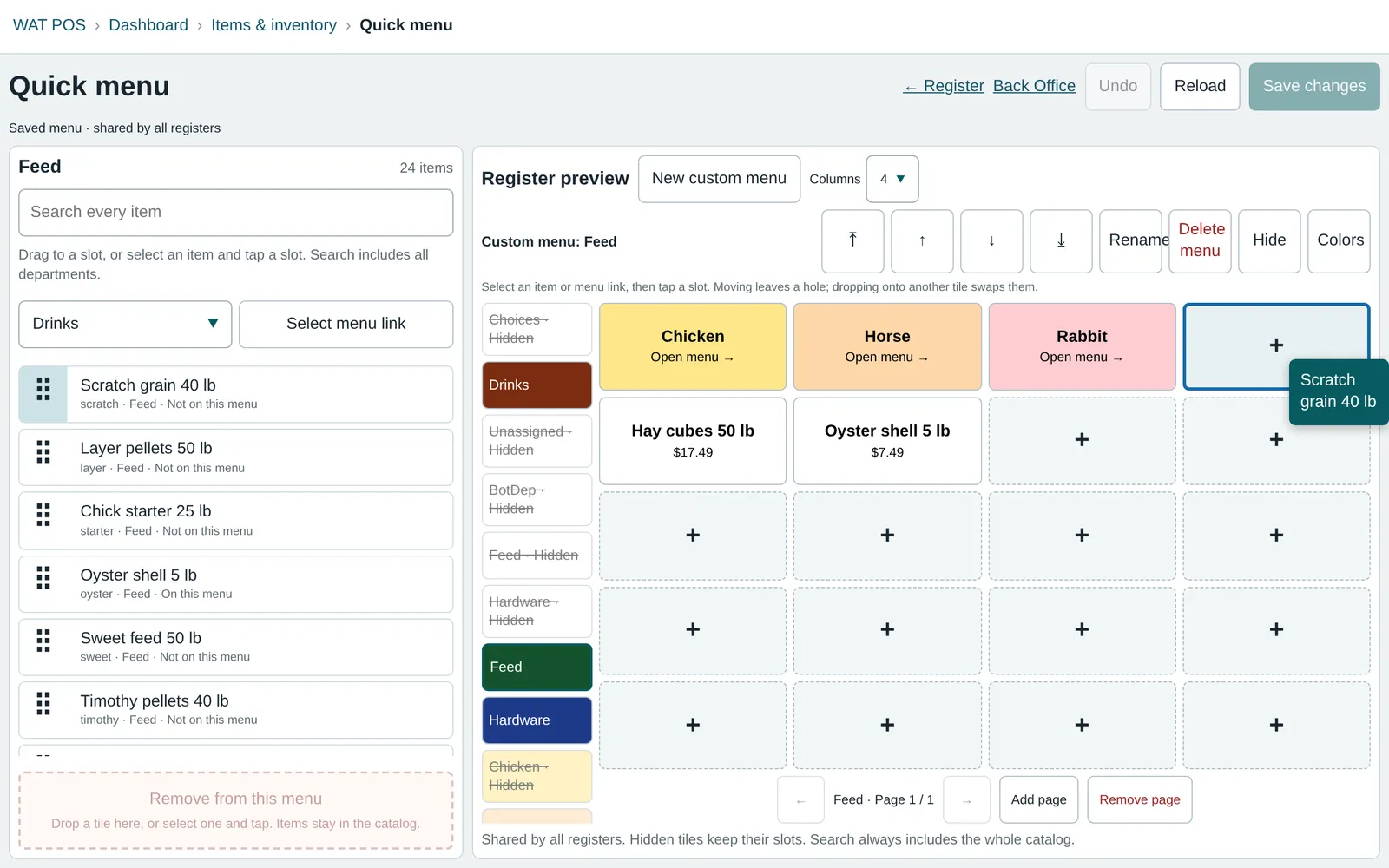
Changing a menu takes no support ticket. The editor shows the register as it will look, and nothing goes live until you save.
- Drag from the catalog, or between slots
- Moving leaves a hole. Dropping on a tile swaps the two
- Removing a tile keeps the item in the catalog
- Undo works until you save, then every register gets the update
- On a touchscreen, select an item and tap a slot
The rest of the store
Fast scanning
Each scan is saved in the browser before it goes to the server, then sent in order. A dropped connection retries by itself.
In the productDrawers and returns
Drawer sessions, cash movements, held sales, receipts, and returns, with a customer view for a second screen.
In the productPricing that follows the catalog
Product groups, department pricing, and bundle deals. Deposits attach to the item and follow its quantity.
In the productPhoto receiving
Photograph a vendor invoice and review a draft of its rows against the photos, with margins shown beside your prices.
In the productShelf labels
Print single tags and deal labels from the register or the catalog, sized for 2¼ × 1¼ inch stock.
In the productReports and accounts
Sales history with period comparisons and CSV export, customer accounts, and separate sign-ins for customers and vendors.
In the productInstalled local registers
A Windows register app that keeps taking cash sales through an internet outage. Card, check, account, and return workflows are not part of this pilot.
In pilotCard terminals
Stripe Terminal checkout is built and tested against Stripe's sandbox. It has not processed live payments.
Sandbox only
Running a store on something older?
Tell us about your registers, your catalog, and what you'd like to stop working around.